Editing group information
Editing group information
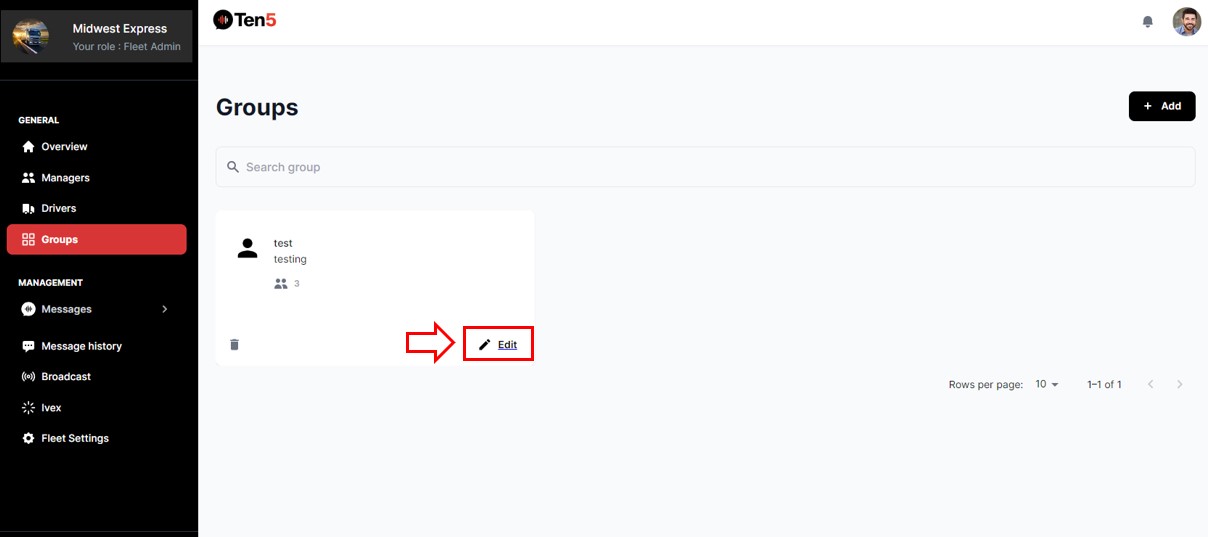
Log in as fleet admin user and on the left side choose the Groups option. Select to the Edit button in the group to be edited.
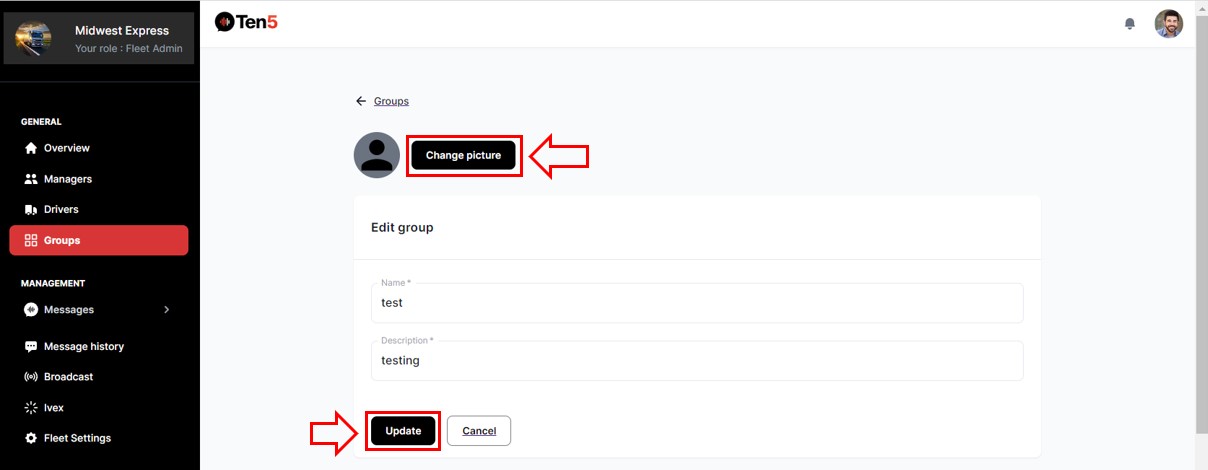
On the page that opens, you can edit the following:
Change the image for the group.
Edit the group name and description.
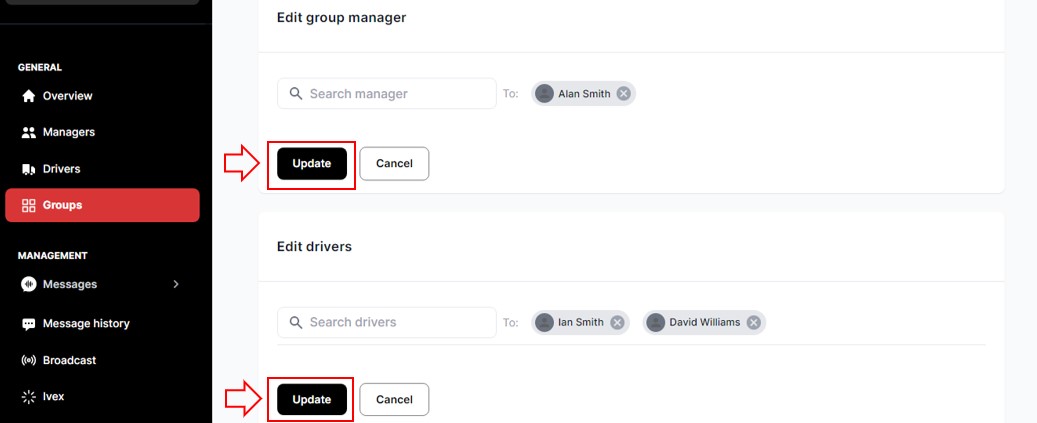
Delete or add a fleet manager to group.
Delete or add a driver to group.
After editing the information, click on the corresponding Update button.
To change the image, you must click on the Change picture button and upload an image.
Delete group
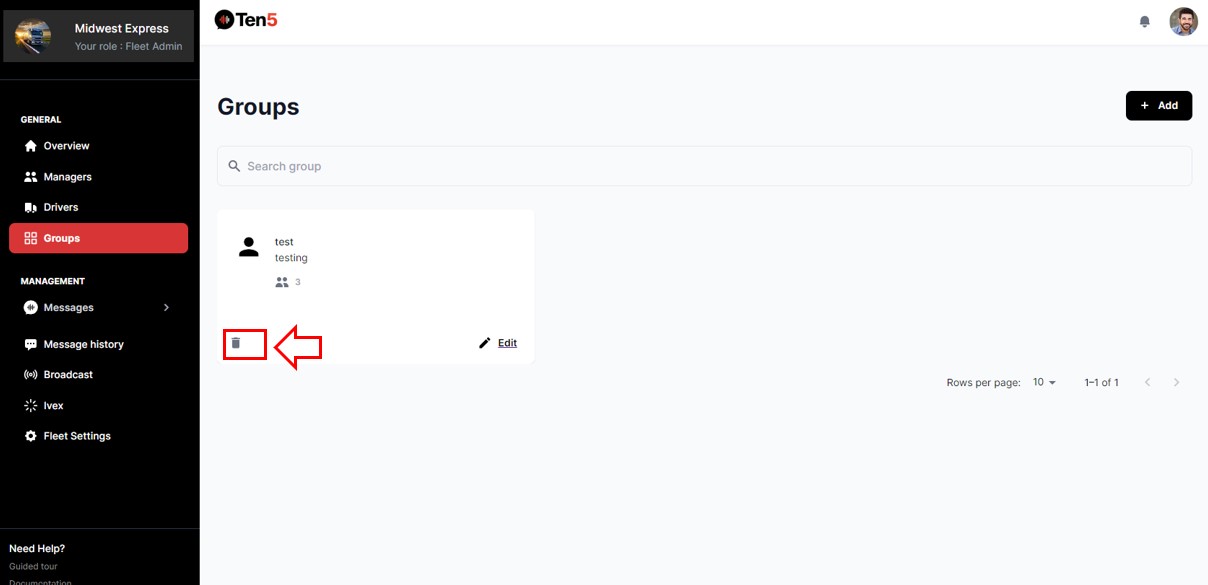
Log in as fleet admin user and on the left side choose the Groups option. In the group to be deleted, click on delete icon button.
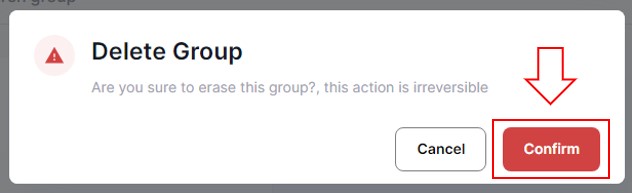
A popup will display. Click on the Confirm button.